Welcome to Eryxon Flow
Eryxon Flow is a tablet-friendly manufacturing execution system for metalworking job shops — track jobs from your ERP to the shop floor without losing operator adoption.
Choose your path
Section titled “Choose your path”Pick the route that matches where you are in evaluating Eryxon Flow.
Is it right for your shop?
Section titled “Is it right for your shop?”- Operators get a touch-friendly work queue: pull work by cell, log time, view STEP and PDF files, and report issues from the floor.
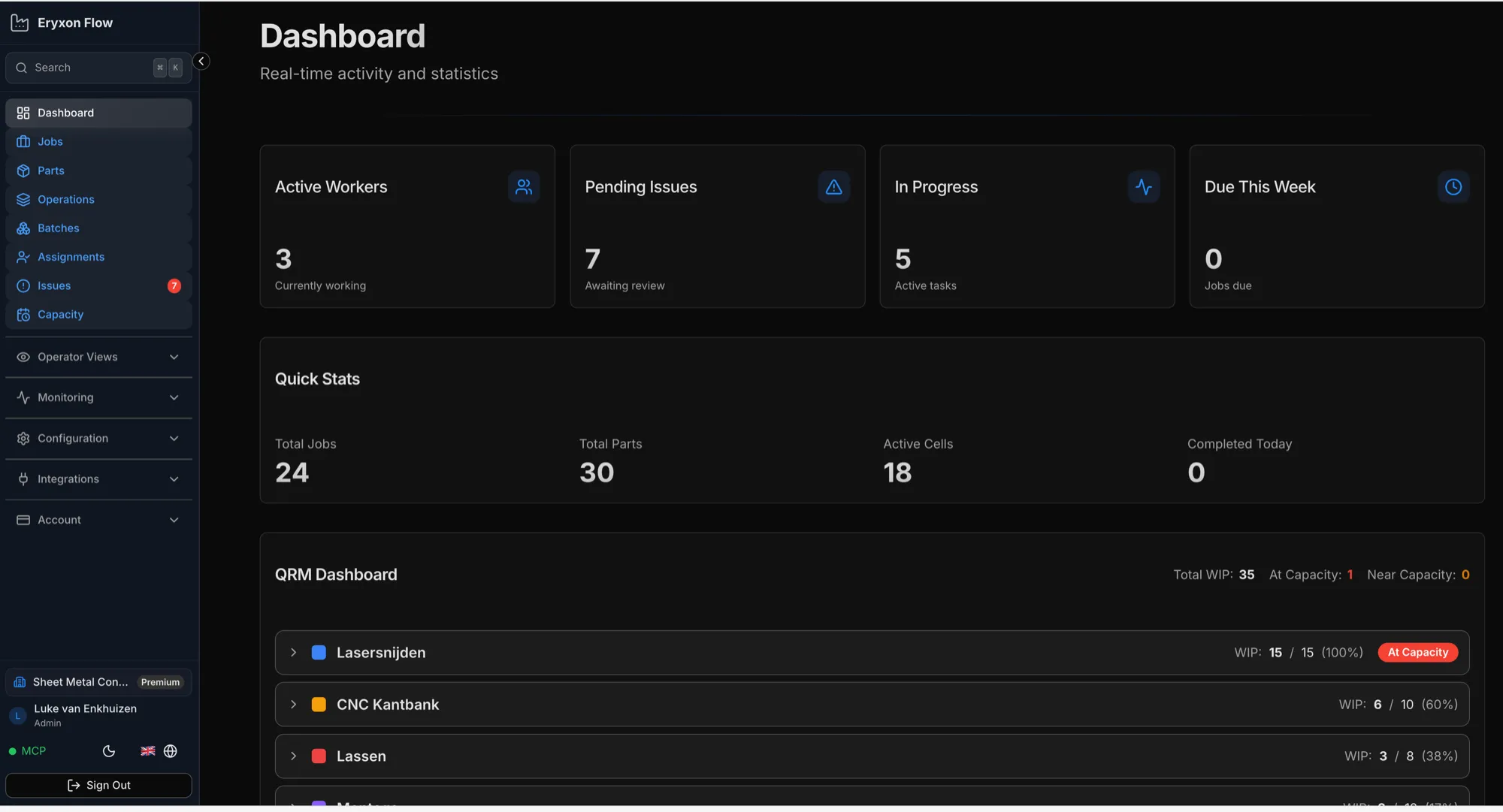
- Admins get real-time visibility: who is working on what, issue approvals, due-date overrides, and cell/resource configuration.
- Technical evaluators get documented REST, webhook and MCP interfaces. Production lifecycle actions share database-enforced rules, MCP access is pinned to one workshop, and committed changes emit the same signed webhook events. It self-hosts on Supabase.
What It Does
Section titled “What It Does”Eryxon tracks jobs, parts, and operations through production with a responsive operator interface. Data can come from your ERP through the API.
For Operators
Section titled “For Operators”The interface shows what to work on, grouped by materials and production cells—organized the way your shop runs, not the way accountants think.
- Visual indicators (colors, images) make operations easy to recognize.
- STEP file viewer shows the geometry.
- PDF viewer shows the drawings.
- Start and stop time on operations.
- Report issues when something’s wrong.
Everything needed, nothing extra.
For Admins
Section titled “For Admins”See who’s working on what in real-time.
- Assign specific work to specific people.
- Review and approve issues.
- Override dates when needed.
- Configure cells, resources, and templates.
Real visibility into shopfloor activity without walking the floor.
Work Organization
Section titled “Work Organization”Work is displayed kanban-style with visual columns per cell. Operators see what’s available and pull work when ready—not pushed by a schedule. Cells represent manufacturing zones such as cutting, bending, welding, and assembly.
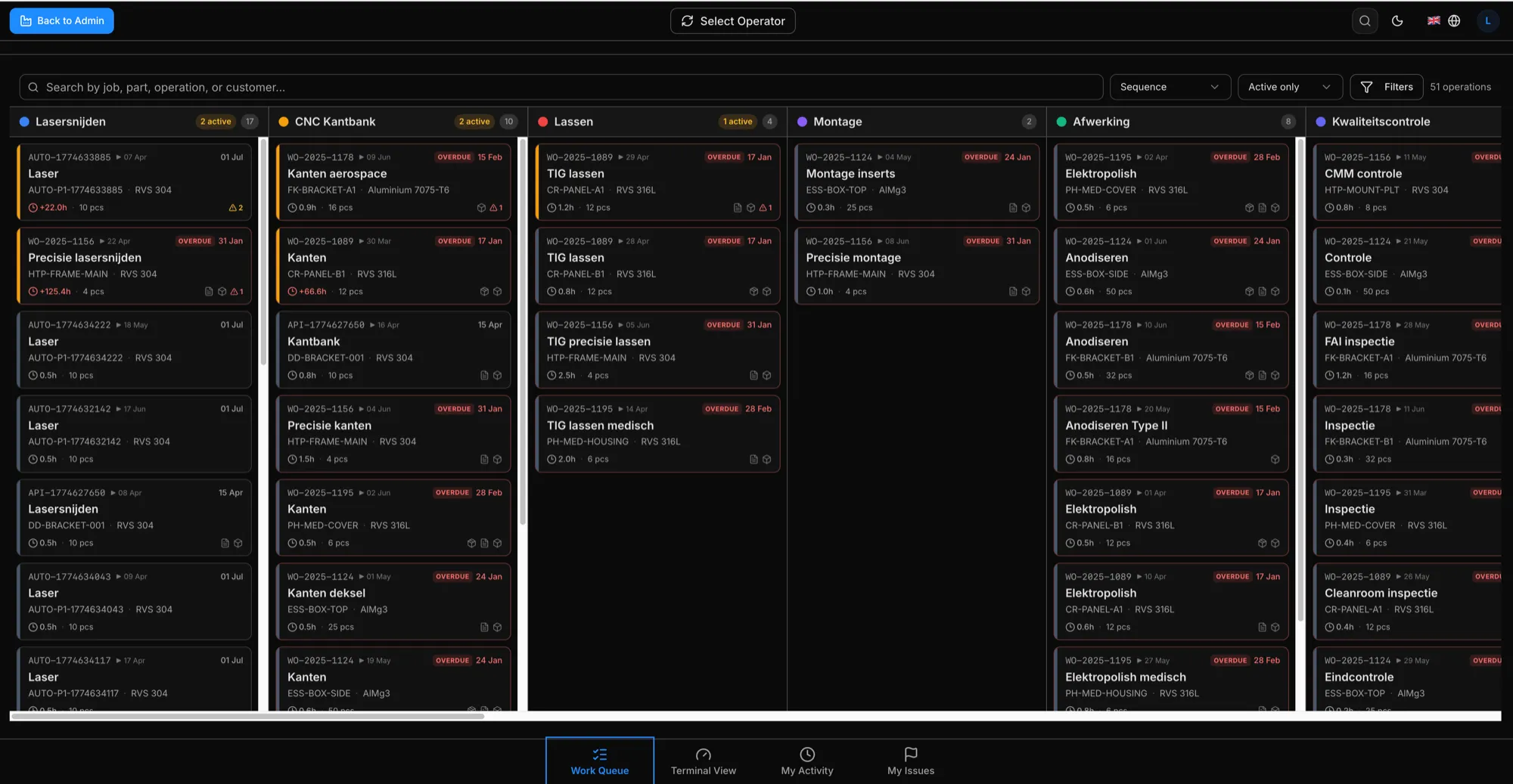
Quick Response Manufacturing (QRM) principles are built in:
- Visual indicators show when too many jobs or parts are in the same cell.
- Limit work in progress per cell to maintain flow.
- Track progress through the routing, not just individual operation times.
- Time tracking shows what’s remaining, not just what’s done.
- Real-time updates—changes appear immediately on all screens.
Flexible Data
Section titled “Flexible Data”Jobs, parts, and operations support custom JSON metadata—machine settings, bend sequences, welding parameters. Define reusable resources like molds, tooling, fixtures, or materials, then link them to work. Operators see what is required and any custom instructions in the operation view.
Users & Roles
Section titled “Users & Roles”Operators
Section titled “Operators”See their work queue, start and stop time tracking, complete operations, view files, and report quality issues.
Admins
Section titled “Admins”Do everything operators can, plus: assign specific work to specific people, manage issues, override dates, and configure cells, resources, and templates.
Note: Operator accounts can be flagged as machines for autonomous processes.
Real-Time Visibility
Section titled “Real-Time Visibility”Track who’s on-site and what they’re working on in real-time. No guessing, no delays. Changes appear immediately across all screens via WebSocket updates.
Integration-First Architecture
Section titled “Integration-First Architecture”Your ERP can create jobs, parts, and operations through the REST API. Eryxon emits production changes through signed webhooks. The optional MCP server exposes the same production rules to approved automation, over stdio or authenticated Streamable HTTP.
File handling
Section titled “File handling”Request a signed upload URL from the API, upload STEP and PDF files directly to Supabase Storage, then reference the file path when creating jobs or parts. Large files (5-50MB typical) upload directly to storage—no timeouts, no API bottlenecks.
Custom metadata
Section titled “Custom metadata”Include JSON payloads on jobs, parts, and operations for your specific needs—tooling requirements, mold numbers, machine settings or material specifications.
ERP & Planning Integrations
Section titled “ERP & Planning Integrations”Partners like Sheet Metal Connect e.U. build integrations for common ERP systems, or build your own against the REST API and payload reference. See ERP Integration.
Assembly Tracking
Section titled “Assembly Tracking”Parts can have parent-child relationships. Visual grouping shows assemblies with nested components. Non-blocking dependency warnings remind operators when child parts should be complete before starting assembly operations, but they can override if needed.
Issue Reporting
Section titled “Issue Reporting”Operators create issues (NCRs) from active operations with a description, severity and optional photos. The approval flow is pending → approved/rejected → closed. An issue blocks work only when it is marked as a standstill.
What We Don’t Do (By Design)
Section titled “What We Don’t Do (By Design)”- No financial tracking. We track time spent on work, not costs, prices, or margins.
- No purchasing. Operations can represent subcontract work and be tracked through the API, but there is no PO management or vendor transaction flow.
- No BOM management. We track what to produce, not item details or inventory. Parts can have parent-child links for assembly visualization, but not multi-level BOMs that do not live in production.
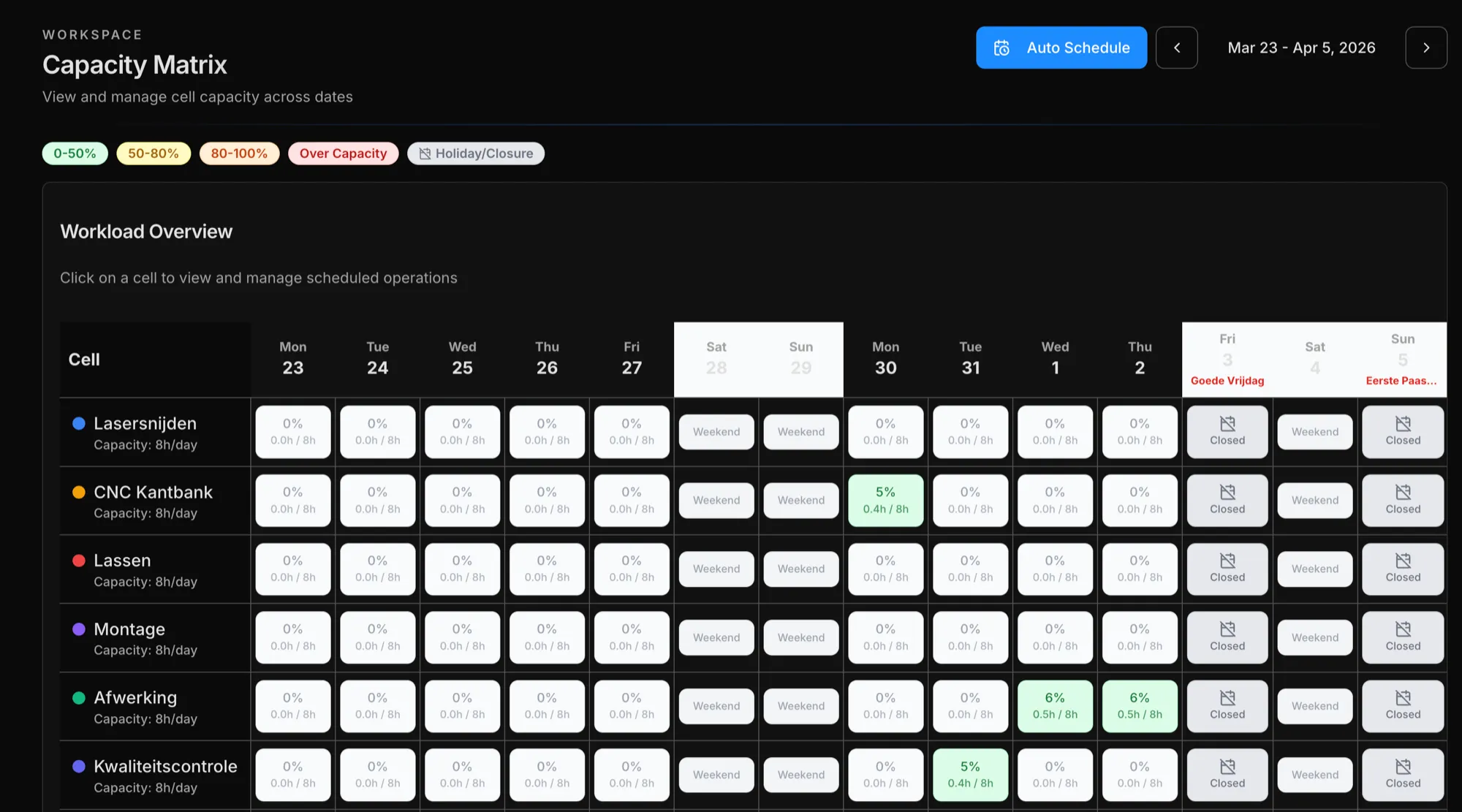
- Simple scheduling. A built-in capacity-based scheduler can auto-allocate operations across cells, respecting factory calendar and working days. It’s not an APS optimizer—dates can also come from your ERP, and admins can manually override due dates at any time.
- No reports. Real-time stat panels only. No built-in historical analytics—but all data accessible via REST API or MCP server for your own reporting and AI-powered insights.
Technical Stack
Section titled “Technical Stack”- Frontend: React + TypeScript
- Backend: Supabase (PostgreSQL, Edge Functions, Realtime, Storage)
- Auth: JWT-based with role-based access control
- Files: Supabase Storage with signed URLs
- STEP Viewer: occt-import-js for client-side STEP parsing + Three.js rendering
- Integration: REST API, webhooks, MCP server